disdex
discord server index

Discord Badge Generator

A member count badge or a growth chart for any Discord server, ready to paste into a README or a website.

Badges for 펭탕증

Member count

펭탕증 on Discord
Markdown[![펭탕증 on Discord](https://disdex.io/badge/1001566574249001021.svg)](https://disdex.io/server/1001566574249001021)
HTML<a href="https://disdex.io/server/1001566574249001021"><img src="https://disdex.io/badge/1001566574249001021.svg" alt="펭탕증 on Discord"></a>

Online now

펭탕증 on Discord
Markdown[![펭탕증 on Discord](https://disdex.io/badge/1001566574249001021.svg?show=online)](https://disdex.io/server/1001566574249001021)
HTML<a href="https://disdex.io/server/1001566574249001021"><img src="https://disdex.io/badge/1001566574249001021.svg?show=online" alt="펭탕증 on Discord"></a>

Members and online

펭탕증 on Discord
Markdown[![펭탕증 on Discord](https://disdex.io/badge/1001566574249001021.svg?show=both)](https://disdex.io/server/1001566574249001021)
HTML<a href="https://disdex.io/server/1001566574249001021"><img src="https://disdex.io/badge/1001566574249001021.svg?show=both" alt="펭탕증 on Discord"></a>

With the server's name

펭탕증 on Discord
Markdown[![펭탕증 on Discord](https://disdex.io/badge/1001566574249001021.svg?label=name)](https://disdex.io/server/1001566574249001021)
HTML<a href="https://disdex.io/server/1001566574249001021"><img src="https://disdex.io/badge/1001566574249001021.svg?label=name" alt="펭탕증 on Discord"></a>

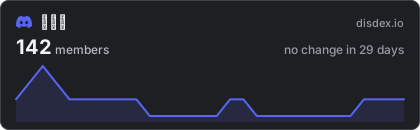
Growth over 30 days

펭탕증 on Discord
Markdown[![펭탕증 on Discord](https://disdex.io/badge/1001566574249001021/growth.svg)](https://disdex.io/server/1001566574249001021)
HTML<a href="https://disdex.io/server/1001566574249001021"><img src="https://disdex.io/badge/1001566574249001021/growth.svg" alt="펭탕증 on Discord"></a>

The numbers update on their own. GitHub and other sites keep their own copy of an image for a while, so a change can take an hour to show there.

A Discord badge with nothing to set up

Most Discord badges read the server's widget, so they only work after an admin turns the widget on in the server's settings, and they only show who is online. These badges work for any server listed on disdex, with no setting, no bot and no login, and they show the member count too.

Where it works

The badge is a plain image, so it works anywhere an image does: a GitHub README, a website, a forum signature, a wiki. Copy the Markdown for GitHub and most wikis, or the HTML for a website. The image links to the server's page here, where visitors find a working invite.

The growth chart

disdex checks servers again and again and keeps the history, so it can draw how a server's member count moved over the last 30 days. Discord itself keeps no such history.

My server is not listed

Paste one of its invite links into the box at the top of any disdex page. The server's page and its badges appear once the invite has been checked, usually within a minute.