
Top VRChat Discord Servers
Find people playing VRChat across 16,609 indexed Discord communities. These servers are ranked by Discord's observed VRChat activity score, including general communities whose members play the game. Invites are checked automatically.
Ranked by observed game activity


An 18 plus group to be adults and chill. Primarily in VRC.
Game activity observed


Im offically quitting so there is no channels
Game activity observed


Game activity observed
No working invite known


Pinktopia is a spectacle in modern time communities. Not only are we family friendly, our members and staff team are extremely welcoming and encourage everyone to follow their dreams and to express themselves creatively. While we are mainly an art/anime/gaming community, we are also among the only Q
Game activity observed


Game activity observed

An Avatar Server for MorticiaMourn and Dragon Boi
Game activity observed


The 7th Sky Corps is a VRChat Semi-Casual MilSim Community based around the Star Wars Prequels.
Game activity observed


Official HW Server, Home to tons of channels and good times.
Game activity observed


𝗧𝗵𝗲 𝗢𝗙𝗙𝗜𝗖𝗜𝗔𝗟 𝘀𝗲𝗿𝘃𝗲𝗿 𝗼𝗳: 𝗧𝘄𝗶𝘁𝗰𝗵.𝘁𝘃/𝗭𝗼𝗱𝘆 ✅ | VRChat & Gaming Community 🎮 | 500+ Emotes 👀 | 50 Soundboards 🔊 | MAXED Out Stickers ⭐ | Level 3 Boosted Server 🚀 | Active & Lively 🙂 | Friendly & Positive Social Hub 💕 | 𝗝𝗢𝗜𝗡 𝗧𝗛𝗘 𝗭𝗢𝗗𝗜𝗔𝗡 𝗘𝗠𝗣𝗜𝗥𝗘! 🏰
Game activity observed


Game activity observed
No working invite known


A server for updates about PaperFen (thats me!)
Game activity observed


Game activity observed


Game activity observed


VALHALLA More Than Just a CommunityVALHALLA isnt just a group․ Its a place where Full Body users‚ gamers‚ creators‚ and amazing people come together as one․A community built on respect‚ friendship‚ and unity․ A place where everyone belongs‚ where you can meet new people‚ make real friendships‚ a
Game activity observed


Game activity observed

My goal is to bring better and beautiful diversity to VRCHAT! from petite to chunky. From cream to mocha! And even the little weird things!
Game activity observed

Come join a welcoming community of avatar porters, all learning and offering help to those around!
Game activity observed
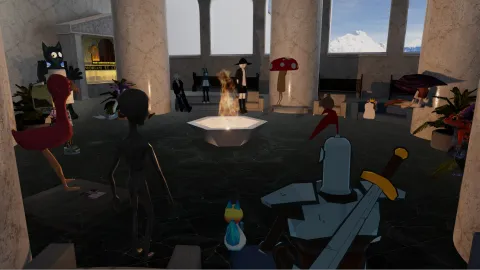

The VR resource, event venue and community for all things relating to personal development, spirituality and mysticism.
Game activity observed


ゲーム・VRChat・ローカルLLMについて語り合えるサーバー!!それとメス男子
Game activity observed


A community originating from VRChat and adventuring through the virtual space.
Game activity observed


Abyssal Fragments‚ imbued with an enigmatic power and allure. 18+ bar group, where peace and modesty are our top priority! Come by have a drink‚ tell us your stories‚ make friends! Everyone is welcomed and we keep everyone as safe as we can <3 Hope to see you soon!
Game activity observed


this server is primarily for vrchat or 3d asset creation. here you’ll find the exquisite avatars and assets created by the infamous aestrenz
Game activity observed


Game activity observed

Game activity observed

Discord creado para el equipo de Twitch mas grande de Vtubers habla hispana!
Game activity observed
Frequently asked questions
Why do these Discord servers appear for VRChat?
Discord reports VRChat activity for these servers. A server can appear because people there play VRChat, even if it is a general community or primarily about something else. Results are ordered by Discord's observed activity score for this game; that score is not a player count. Each card shows when it was observed.
How do I find a working Discord invite?
Open a server's details to see its checked invites and Join button. Invites are re-checked automatically, but can expire or be revoked after a check. Servers without a known working invite are marked accordingly and remain searchable.
How do I add a VRChat Discord server to disdex?
Paste the server's invite link into the “Add” box at the top of any disdex page. We fetch it right away and it joins the listing once indexed. No account or signup needed.
Do I need an account to browse VRChat servers?
No. You can browse every VRChat Discord server on disdex and open any invite without logging in. An account is only needed if you want to connect your own Discord profile.
More Discord communities


