
Top English The Sims 4 Discord Servers
Find people playing The Sims 4 across 4,409 indexed Discord communities. These servers are ranked by Discord's observed The Sims 4 activity score, including general communities whose members play the game. Invites are checked automatically.
Showing servers matching your filters. Language is detected from the server's public name and description. The Sims 4 activity statistics and history
Ranked by observed game activity


This server is about sanrio and hello kitty, as well as making new friends:)
Game activity observed


sfw & friendly sanrio themed community offering events, daily giveaways, cute guild tags, 500+ emotes & stickers, welcoming members, decor and much more!
Game activity observed


A relaxed community hub for gaming, tech, creativity, and good conversations. Share builds, setups, screenshots, mods, and help each other troubleshoot when things break. Whether you’re into cozy games, PCs, content creation, or just vibing, everyone’s welcome. Home of the Cozy Zen Minecraft SMP <3
Game activity observed


a BTS focused K-pop server where anyone, & everyone is welcomed to join!
Game activity observed


⎯ ㆍ ˖ social server , cute tag & light pink emojis 𓂃◞﹒ join for giveaways , meet new friends , find profile decor & so much more
Game activity observed


a server for fun, friendship, and bringing people together! 𓈒 ⁺ meet others who enjoy art, gaming, royale high & more!
Game activity observed


TS2 Community is a welcoming place for all Simmers, especially fans of the Sims 2 era!
Game activity observed


/worlds #1 social server, active vc, active chat, 300+ emotes / emojis, giveaways (nitro), events, hangout spot, guild tags, gaming, chill, fun community, make friends & etc!
Game activity observed

The official Discord server for GShade, a generic realtime post-processing app for games.
Game activity observed


A VC, social and chill place to chat in an active server, keep chatting, make friends, call, voice chat and hangout with people from around the world!
Game activity observed


We celebrate the game franchise, The Sims, particularly the older, "retro" Sims games through mods and chatter!
Game activity observed


Have you been looking for a place to hang with other EEZYGANG and affiliated community members? Check us out! Pull up ready to chill! EUGH!
Game activity observed


꒰ঌ ໒꒱ .𝒈𝒈/𝒉𝒊𝒎 𓂃 🤍 #1 𝒔𝒐𝒄𝒊𝒂𝒍 𝐜𝐮𝐭𝐞𝐬𝐲 𝒂𝒄𝒕𝒊𝒗𝒆 𝒔𝒆𝒓𝒗𝒆𝒓 100+ 𝒔𝒕𝒊𝒄𝒌𝒆𝒓𝒔 / 𝒆𝒎𝒐𝒕𝒆𝒔 🎀 24/7 𝒂𝒄𝒕𝒊𝒗𝒆 𝒄𝒉𝒂𝒕𝒔 & 𝒗𝒄’𝒔 🌸 𝒅𝒂𝒊𝒍𝒚 𝒈𝒊𝒗𝒆𝒂𝒘𝒂𝒚𝒔 & 💝 𝒈𝒂𝒎𝒊𝒏𝒈 & 𝒂𝒏𝒊𝒎𝒆
Game activity observed
No working invite known


🐞 Welcome to Luv 🌹۶ৎ Active Chat 🚬𓆩♡𓆪 Make Friends & Hangout ✯🧸 SFW ✯🥂 Chatting ✯ Emotes ✯ 👒Aesthetic & Fun Community ✧˖° Cute Tags 🌷⋆ Share Feelings💔⋆ Friendly Server ⟢🥀Not a Dating Server ☁ 𓆩♡𓆪 Your heart has a home here ✧˖°🎨Active Pfp & Decor Channels✨💞
Game activity observed


Planet Sims was created in 2020 when a close group of friends playing The Sims 4 decided gamers in the Sims Community needed a safe, supportive space during the Covid stay at home mission. ♥ We are a creative, global community full of generous, supportive & friendly simmers. ♥
Game activity observed


Embrace the magic of Harry Potter! Chat about the beloved books, movies, HBO series, Hogwarts Legacy, Quidditch Champions, Hogwarts Mystery, Universal park, LEGO, merch & more
Game activity observed


#1 active server, guild tag, giveaways, 100+ emojis / emotes, events, fun community to make new friends!
Game activity observed


my chemical romance...... MUSIC........ FOREVER!!!
Game activity observed


#1 pusheen server ♡ mew is a sfw & semi-toxic icons & decors server! welcoming & friendly community ♡ come join us!
Game activity observed


Miraculous Empire is a professional Miraculous fan community for theories, creativity, and community events.
Game activity observed
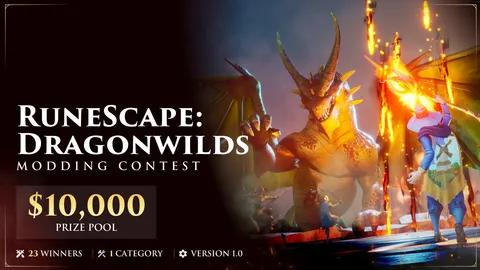

***NEW: RuneScape Dragonwilds support!*** | The official CurseForge Authors community for mod creators. Connect with fellow authors, get support, share your projects, and discuss modding for Minecraft, ARK, Sims, World of Warcraft, and more!
Game activity observed


╰┈ ωelc to ⋆ ᧁirly ⋆ 🩰 .ᐟ we are an active 𝘀𝗼𝗰𝗶𝗮𝗹 𝘀𝗳𝘄 & 𝗻-𝘁𝗼𝘅 community where you can find 𝗱𝗲𝗰𝗼𝗿𝘀, new 𝗳𝗿𝗶𝗲𝗻𝗱𝘀, vent & share safely, win 𝗴𝘄𝘀 + games, ᢉ𐭩 cute 𝗴𝘂𝗶𝗹𝗱 𝘁𝗮𝗴𝘀 & funny 𝘀𝘁𝗶𝗰𝗸𝗲𝗿𝘀 with adorable 𝗲𝗺𝗼𝗷𝗶𝘀 ♡ settle in &vibe wit us ^_-
Game activity observed

Do you care about gaming and fighting for our consumer rights as gamers to own the games we buy? Do you hate Corporate Greed that is ruining the gaming industry? Join the Players Alliance HQ server where we're organizing gamers together to fight for consumer protections while gaming together
Game activity observed


Do you love The Sims? So do we! Join our community to talk, share, and discuss everything about The Sims!
Game activity observed


Join Pixish: A cozy gaming / hangout discord server full of people just as magical as you! Enter for an amazing time, freebies, and more! Join our wacky events and maybe even earn some pixie dust. Either way your time here is sure to be shall we say, magic? ✨🧚🏻♀🎮💬
Game activity observed
Frequently asked questions
Why do these Discord servers appear for The Sims 4?
Discord reports The Sims 4 activity for these servers. A server can appear because people there play The Sims 4, even if it is a general community or primarily about something else. Results are ordered by Discord's observed activity score for this game; that score is not a player count. Each card shows when it was observed.
How do I find a working Discord invite?
Open a server's details to see its checked invites and Join button. Invites are re-checked automatically, but can expire or be revoked after a check. Servers without a known working invite are marked accordingly and remain searchable.
How do I add a The Sims 4 Discord server to disdex?
Paste the server's invite link into the “Add” box at the top of any disdex page. We fetch it right away and it joins the listing once indexed. No account or signup needed.
Do I need an account to browse The Sims 4 servers?
No. You can browse every The Sims 4 Discord server on disdex and open any invite without logging in. An account is only needed if you want to connect your own Discord profile.
More Discord communities


