
Top Microsoft Flight Simulator X: Steam Edition Discord Servers
The most active Microsoft Flight Simulator X: Steam Edition Discord servers, ranked by live activity score. disdex indexes 25 Microsoft Flight Simulator X: Steam Edition communities — and re-checks every invite continuously, so the links below are live, not dead listings.
Most active Microsoft Flight Simulator X: Steam Edition servers


We are the largest community for the free online flight simulator 'GeoFS'. We host tons of group flights and a lot more!


Aero Jones é uma comunidade brasileira apaixonada por aviação virtual, reunindo pilotos e controladores nas redes IVAO e VATSIM. Nosso objetivo é proporcionar voos realistas, aprendizado contínuo e integração entre entusiastas da aviação, do iniciante ao mais experiente. ✈🇧🇷


This is a server made for aviation lovers where we all gather and talk about the wonders of aviation and flight simulators. Aside from being a Discord Server, we are also actively promoting a community where even if you have little or no aviation knowledge, you can still have fun here.


このサーバーではフライトシミュレーター(MSFS2020&2024)を中心に活動しています!初心者やこれから始めてみようかなと思っている方!どなたでもご参加いただけます。不定期でイベントなどもしています。優しい方ばかりなので是非お越しください!楽しいゲームライフを~🛫


Welcome to Air Canada Virtual Airlines, a virtual airline that flies in every flight simulator!
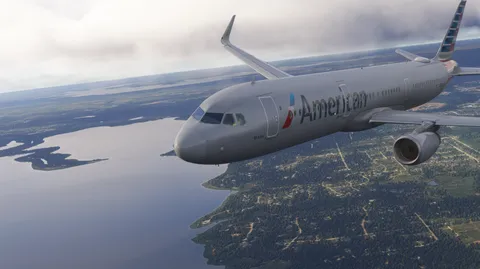

The official Discord of vAAirlines, an American Virtual Airline. Check us out at aalva.org.

Information and support for FSUIPC and related software.


Welcome to The Antisocial, a space hosted by OMGEDSON & Friends. Catch the shows LIVE @ http://www.twitch.tv/OMGEDSON


Stratus Airways Virtual Airline Official Server.


Welcome to GCC Virtual Airlines, the largest virtual airline based in the Middle East.Featuring the top carriers from the Gulf Cooperation Council (GCC) region, we have been providing virtual pilots with a fun and realistic environment for quite some time. See you onboard!

Somos una aerolínea virtual sin ánimo de lucro que recrea las operaciones de las grandes aerolíneas históricas españolas. Pilota aviones legendarios en rutas históricas que marcaron el rumbo de la aviación comercial actual.


I'm a aerospace engineer who's spending her time making comics and managing her community! I've created an AI bot when I'm asleep to keep you entertained, we play games (drawing comps, wordle etc.) and you get a little insight on my life in aerospace and comics

O Aero X II é um simulador de voo brasileiro disponível na plataforma Roblox, desenvolvido pela BrasilWings Simulations. Esse simulador é voltado para entusiastas da aviação que desejam experimentar uma experiência de voo realista, com gráficos aprimorados e uma interface intuitiva.

💜 ¡𝘽𝙞𝙚𝙣𝙫𝙚𝙣𝙞𝙙@ 𝙖 𝙏𝙚𝙠𝙮'𝙨 𝘼𝙧𝙢𝙮 𝙓75! 💜Este servidor y comunidad fue creada por Teky75. CUALQUIER DUDA AQUÍ ESTARÁ. Este servidor es para charlar, hacer amigos, VC´s, compartir gustos sobre música, juegos, libros ¡O lo que se te ocurra!

PanAF Virtual Airlines was founded with a vision to celebrate African aviation heritage while providing realistic flight simulation experiences. We serve routes across Africa and connect the continent to destinations worldwide, promoting cultural exchange and aviation excellence.
臺灣西部縱貫鐵路模擬器 Taiwan Western Longitudinal Railway Simulator](https://cdn.discordapp.com/icons/1391373489633759292/3c3f6159e6547189a87154a467d72ba9.webp?size=64)


Only the best VATSIM map out there ;)
Frequently asked questions
What are the best Microsoft Flight Simulator X: Steam Edition Discord servers?
The Microsoft Flight Simulator X: Steam Edition Discord servers above are ranked by live activity. disdex continuously measures how busy each community is and lists the most active first, so the top entries are the liveliest Microsoft Flight Simulator X: Steam Edition servers currently indexed.
Are these Discord invite links still active?
Yes. disdex re-checks every invite link continuously, so expired or dead invites are detected and pushed down automatically. The Microsoft Flight Simulator X: Steam Edition invites shown here were confirmed working on the most recent check.
How do I add a Microsoft Flight Simulator X: Steam Edition Discord server to disdex?
Paste the server's invite link into the “Add” box at the top of any disdex page. We fetch it right away and it joins the listing once indexed — no account or signup needed.
Do I need an account to browse Microsoft Flight Simulator X: Steam Edition servers?
No. You can browse every Microsoft Flight Simulator X: Steam Edition Discord server on disdex and open any invite without logging in. An account is only needed if you want to connect your own Discord profile.
More Discord communities


