
Top Microsoft Flight Simulator: 40th Anniversary Edition Discord Servers
Find people playing Microsoft Flight Simulator: 40th Anniversary Edition across 70 indexed Discord communities. These servers are ranked by Discord's observed Microsoft Flight Simulator: 40th Anniversary Edition activity score, including general communities whose members play the game. Invites are checked automatically.
Microsoft Flight Simulator: 40th Anniversary Edition activity statistics and history
Ranked by observed game activity


Game activity observed


Home of the A220 for Microsoft Flight Simulator!
Game activity observed

Game activity observed

Server for Aaron Rheins' community!
Game activity observed

Welcome to the home of add-ons, mods, and community creations for Microsoft Flight Simulator. Discuss flight simulation, get support, share your creations, and connect with thousands of simmers worldwide.
Game activity observed


The one stop shop for the best widebody airliners in Ro-Aviation!
Game activity observed
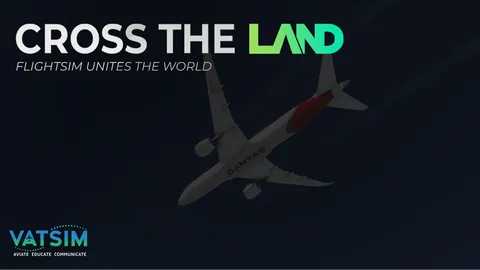

Join us on the Cross the Land Discord server, covering three continents. FlightSim Unites the World.
Game activity observed


Game activity observed


LuxPlanes Discord Server: A place to talk about aviation, planespotting and flight simulation!
Game activity observed
No working invite known


FS-Hub by Kiki (tuffest server and owner frfr) Yes this used to be XP-Hub
Game activity observed
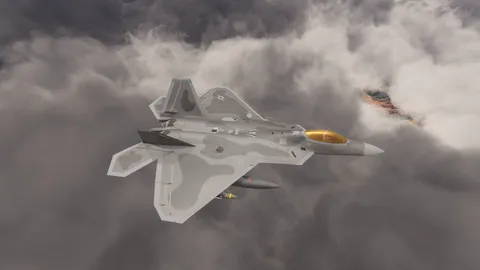

Top Mach Studios is a group of highly motivated developers with a focus on simulating cutting edge military aircraft in exceptional detail within Microsoft Flight Simulator.
Game activity observed


IVAO Morocco Division Discord Server
Game activity observed

Join Stew and friends at https://www.twitch.tv/stw222
Game activity observed


Game activity observed
No working invite known


SUR Air, aerolínea virtual líder en la región.
Game activity observed

Based on my Youtube/Twitch : Desi Avgeek. See when I go live and share your flight sim or real-life aviation moments!
Game activity observed

Join our vibrant community to connect with fellow virtual aviators from around the world.
Game activity observed


Game activity observed

Game activity observed

FlightSimWeekend is Europe's premier flight simulation gathering! Connecting desktop pilots, home cockpit builders, and global developers. Join us to discuss hardware, software, and plan your ultimate weekend at Expo Houten on 3 & 4 April 2027!
Game activity observed


✈ Welcome to the Aviation Lounge! ✈ Step into our hub that brings aviation enthusiasts and virtual pilots together!
Game activity observed

The FSUK Server is the designated server for the UKs Flight Sim UK Event.
Game activity observed


Welcome to JetBlue Airways Roblox!We are not affiliated with the real JetBlue.
Game activity observed


Game activity observed


Game activity observed
Frequently asked questions
Why do these Discord servers appear for Microsoft Flight Simulator: 40th Anniversary Edition?
Discord reports Microsoft Flight Simulator: 40th Anniversary Edition activity for these servers. A server can appear because people there play Microsoft Flight Simulator: 40th Anniversary Edition, even if it is a general community or primarily about something else. Results are ordered by Discord's observed activity score for this game; that score is not a player count. Each card shows when it was observed.
How do I find a working Discord invite?
Open a server's details to see its checked invites and Join button. Invites are re-checked automatically, but can expire or be revoked after a check. Servers without a known working invite are marked accordingly and remain searchable.
How do I add a Microsoft Flight Simulator: 40th Anniversary Edition Discord server to disdex?
Paste the server's invite link into the “Add” box at the top of any disdex page. We fetch it right away and it joins the listing once indexed. No account or signup needed.
Do I need an account to browse Microsoft Flight Simulator: 40th Anniversary Edition servers?
No. You can browse every Microsoft Flight Simulator: 40th Anniversary Edition Discord server on disdex and open any invite without logging in. An account is only needed if you want to connect your own Discord profile.
More Discord communities


